Flameshot
Get artifacts from Github Actions
Get artifacts from Github Actions
🔗 Very brief introduction
Flameshot uses the CI/CD system that is provided by Github, called Github Actions. CI stands for Continuous Integration which in simple terms is the automatic building system that the project use.
In this page We explain how to download the pre-compiled files in case you want to use unstable builds of Flameshot. The reason for "unstable" is that these are bleeding edge builds and although in general they are trying to improve Flameshot, they might as well introduce new bugs. As always, use at your own risk. Many Free/Libre OpenSource Software projects on Github use the Github Actions too, so this instructions can be to some extent similar across all projects, but of course there will be also some obvious differences that you can figure it out by spending a little more time on them.
Also, as a side-note, the numbers in the images of this instructions illustrate the orders of places you should click and they don't correspond to the number of the steps.
-
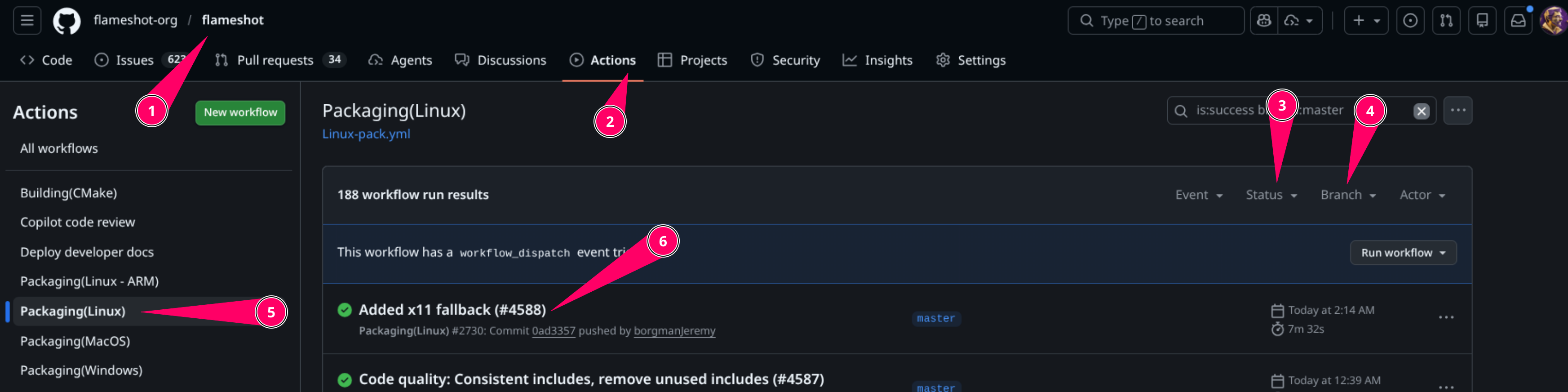
Open the Actions tab from Github and filter based on "master" branch and the status of "success". Alternatively you can click here.
-
From the left menu, select the type of packaging you want. For example in your case you are looking for files to be installed on Linux, select the one that has the word "linux".
-
click on the first item in the main list. The name of the item shows what has changed in Flameshot before this particular build:
-
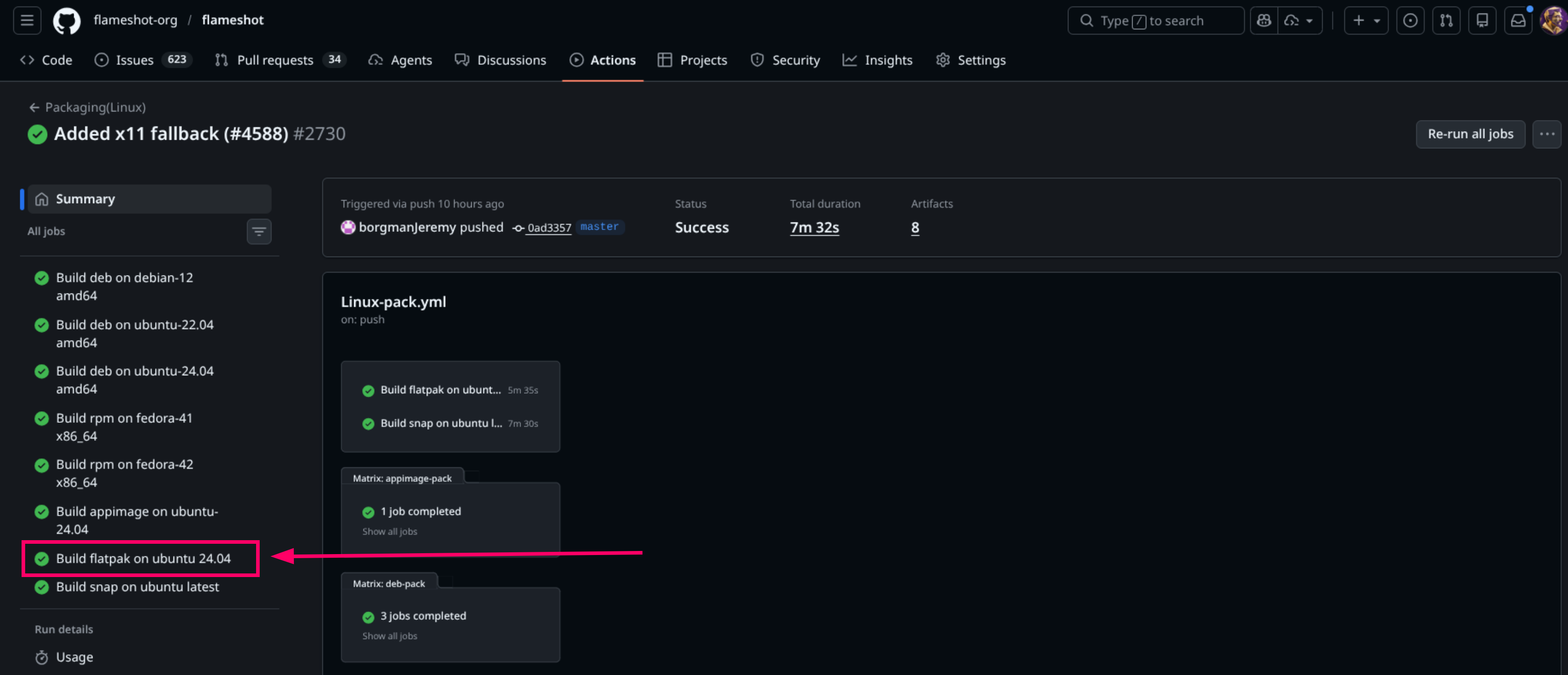
Select the type of build you are looking for. For example for Flatpak:
-
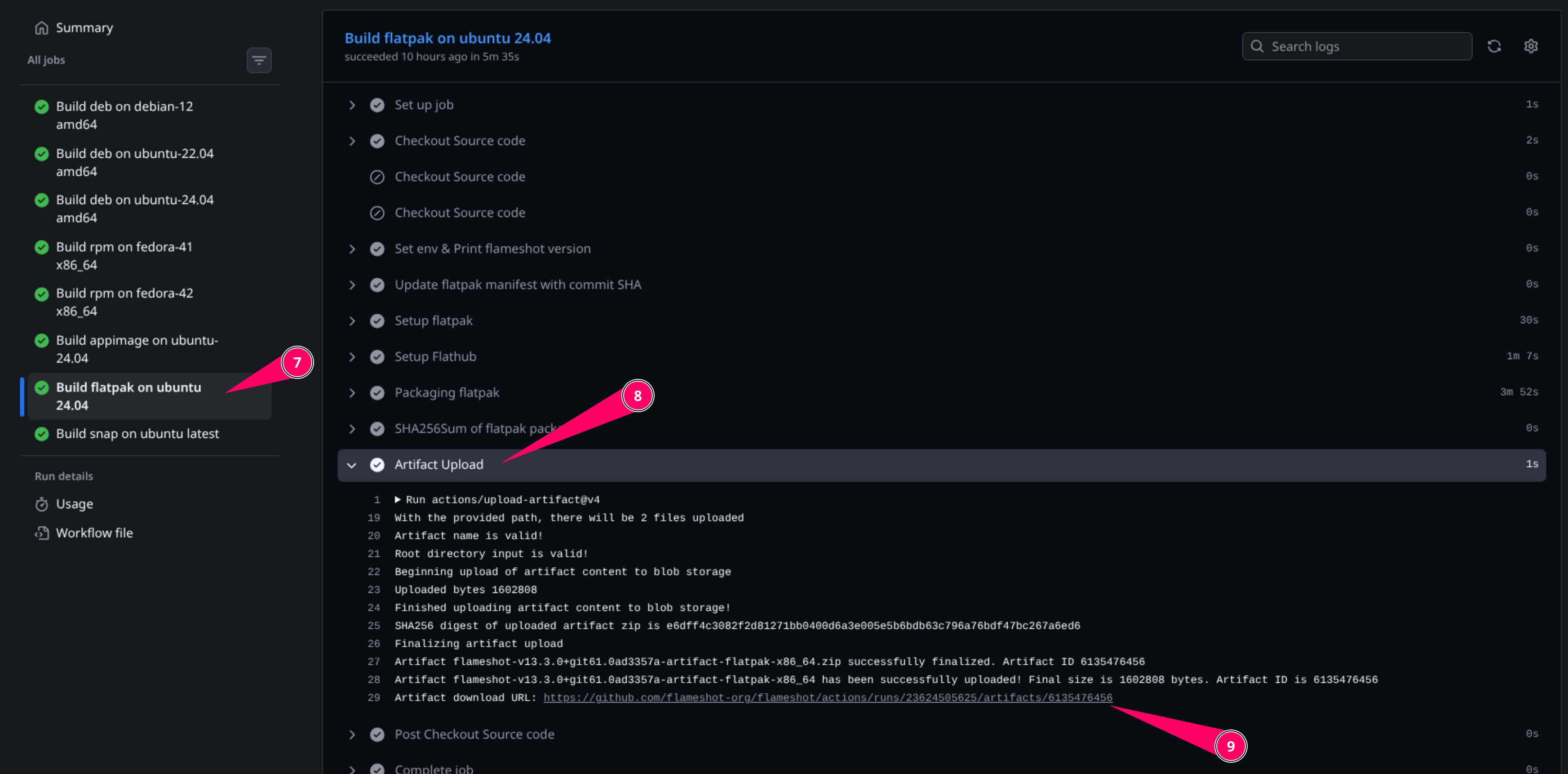
After the step above, you will see the detail of the this particular build. So navigate to "Artifact Upload" and unfold it.
-
The last line of the "Artifact upload" section should have the link to the "artifact". Artifact is the final product of the build that you can download and install. Typically in tha Flameshot project, artifacts are uploaded as zip files, so you should extract them after downloading and before installing or running.